

How to Add FAQ Schema in Shopify Products Using Webrex
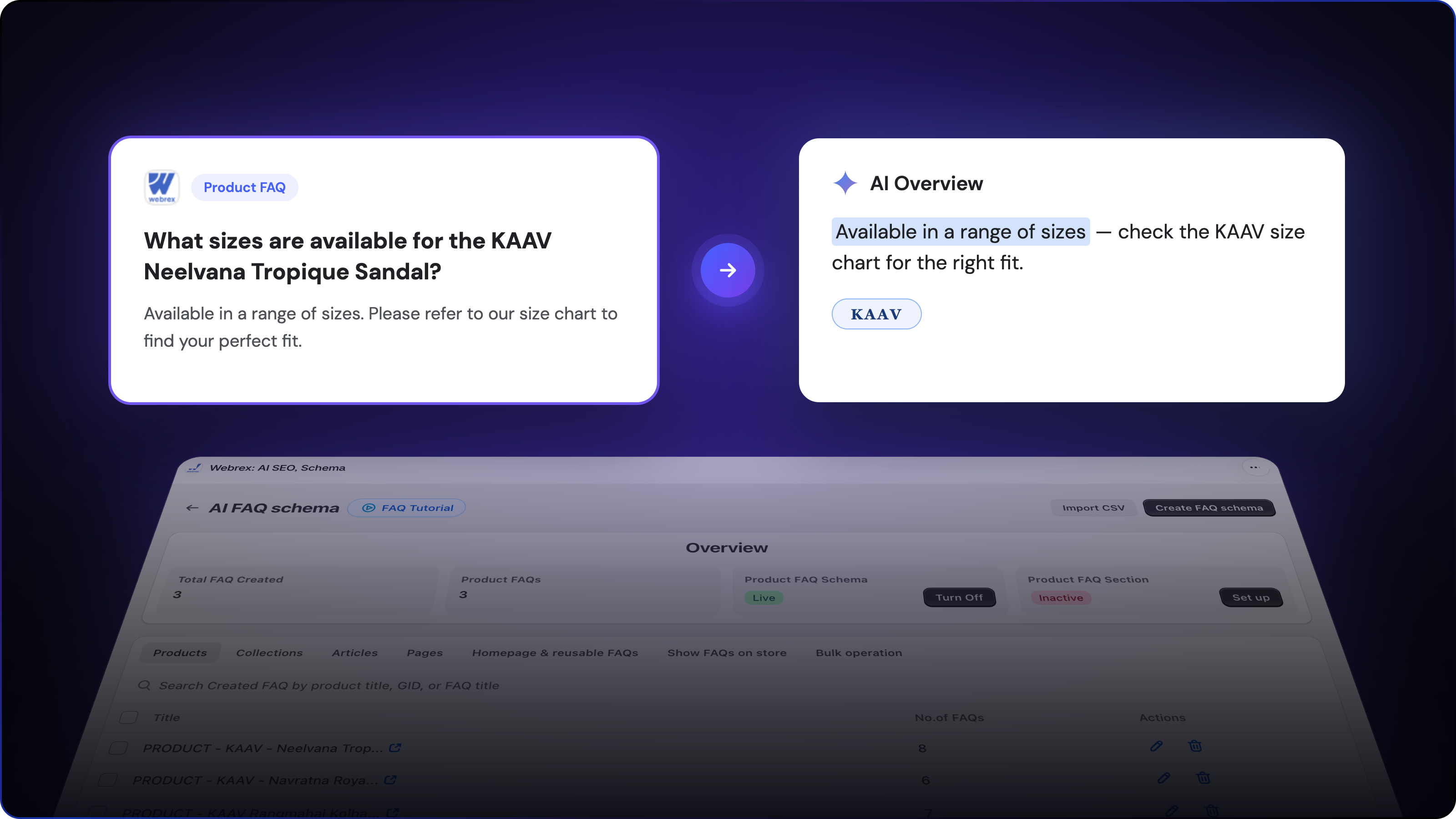
Create AI-powered FAQ schema and display FAQs on your storefront with Webrex to boost visibility in Google AI Overviews.
FAQ schema tells Google exactly what questions your product pages answer. Without it, your FAQ content exists only for shoppers who land on the page. With it, the same content becomes readable structured data that Google AI Overviews can cite and that Webrex can publish as a buyer-facing section directly on your storefront.
This guide shows you how to set it up, step by step.
Does Google Still Use FAQ Schema?
In 2023, Google removed FAQ rich result dropdowns for most commercial sites. They now appear only for authoritative government and health websites.
That does not mean FAQ schema stopped working. Its value shifted to two areas: Google AI Overview citations, where structured Q&A content helps position your pages as credible sources in AI-generated answers, and storefront FAQ sections, where Webrex publishes your schema content directly on your product pages for buyers to see.
What Is FAQ Schema?
FAQ schema is structured data in JSON-LD format that marks up question-and-answer pairs in a way search engines and AI systems can read. It does not change how your page looks to shoppers unless you also enable the storefront section. What it does is give Google a machine-readable version of your FAQ content, which contributes to how it understands and cites your pages.
Webrex handles the JSON-LD generation automatically. You write the questions and answers. The app handles the code.
How to Add FAQ Schema in Shopify Using Webrex
Inside Webrex: AI SEO, Schema JSON-LD, go to FAQs and Content Schema > AI FAQ Schema. The dashboard shows your schema status at a glance: how many FAQs are created, which page types have schema live, and which sections are inactive. Start with the Products tab.
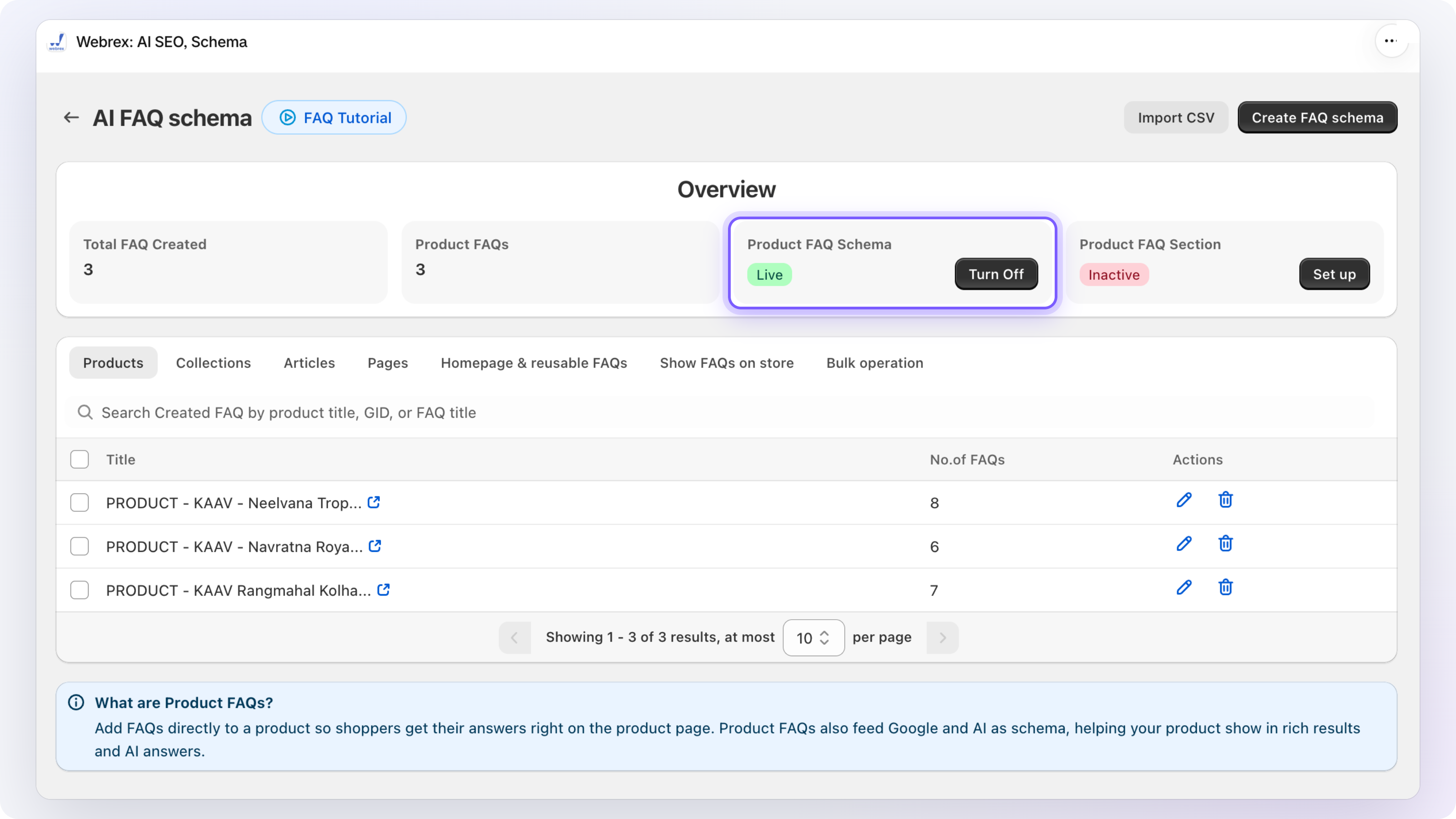
Step 1: Open the Products Tab and Create FAQ Schema
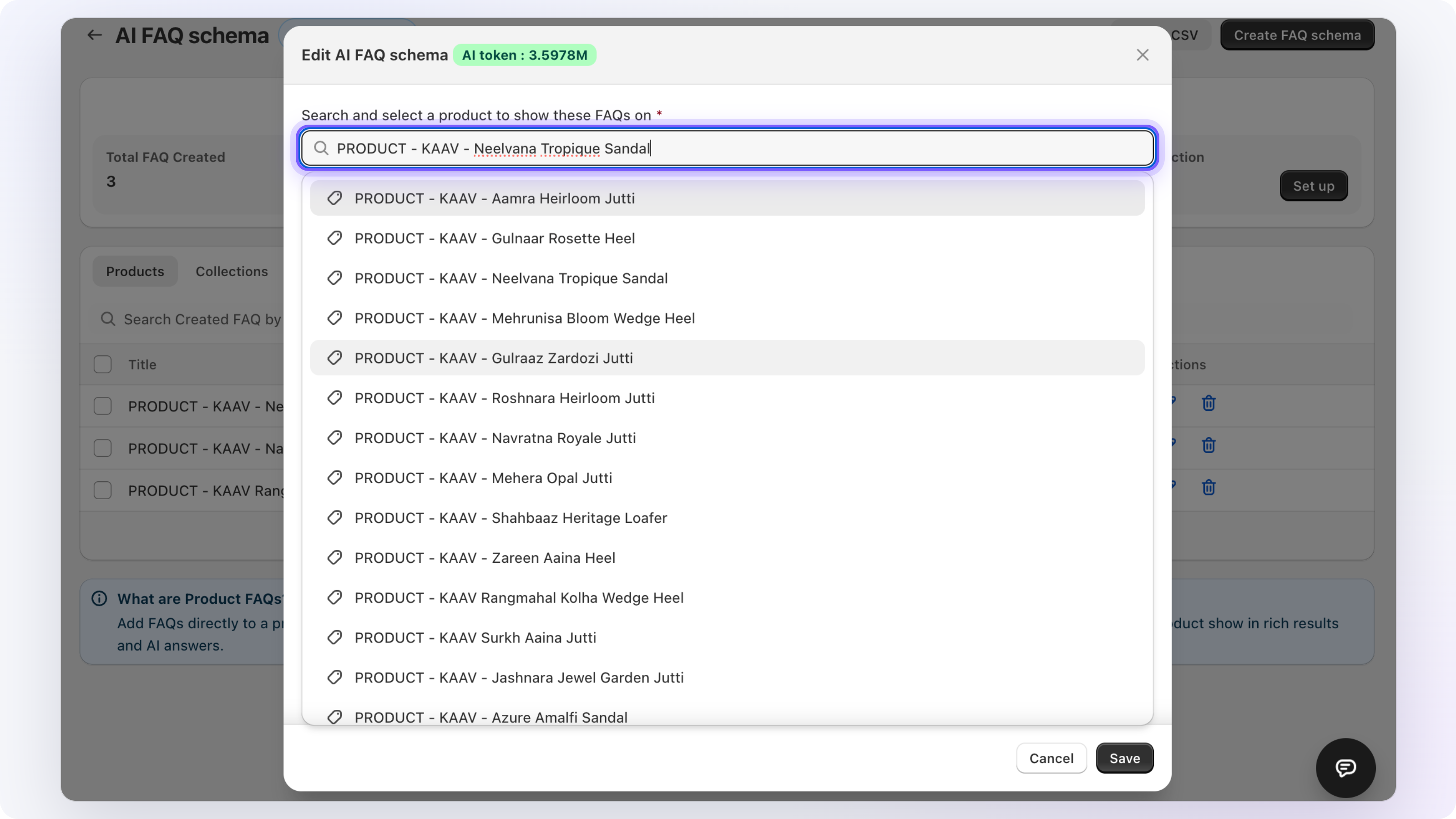
Click Create FAQ Schema. A product search field appears. Type the product name, select it from the results, and give the FAQ section a title. This title becomes the heading buyers see if you later enable the storefront section.
Step 2: Add Your Questions
You have two options.
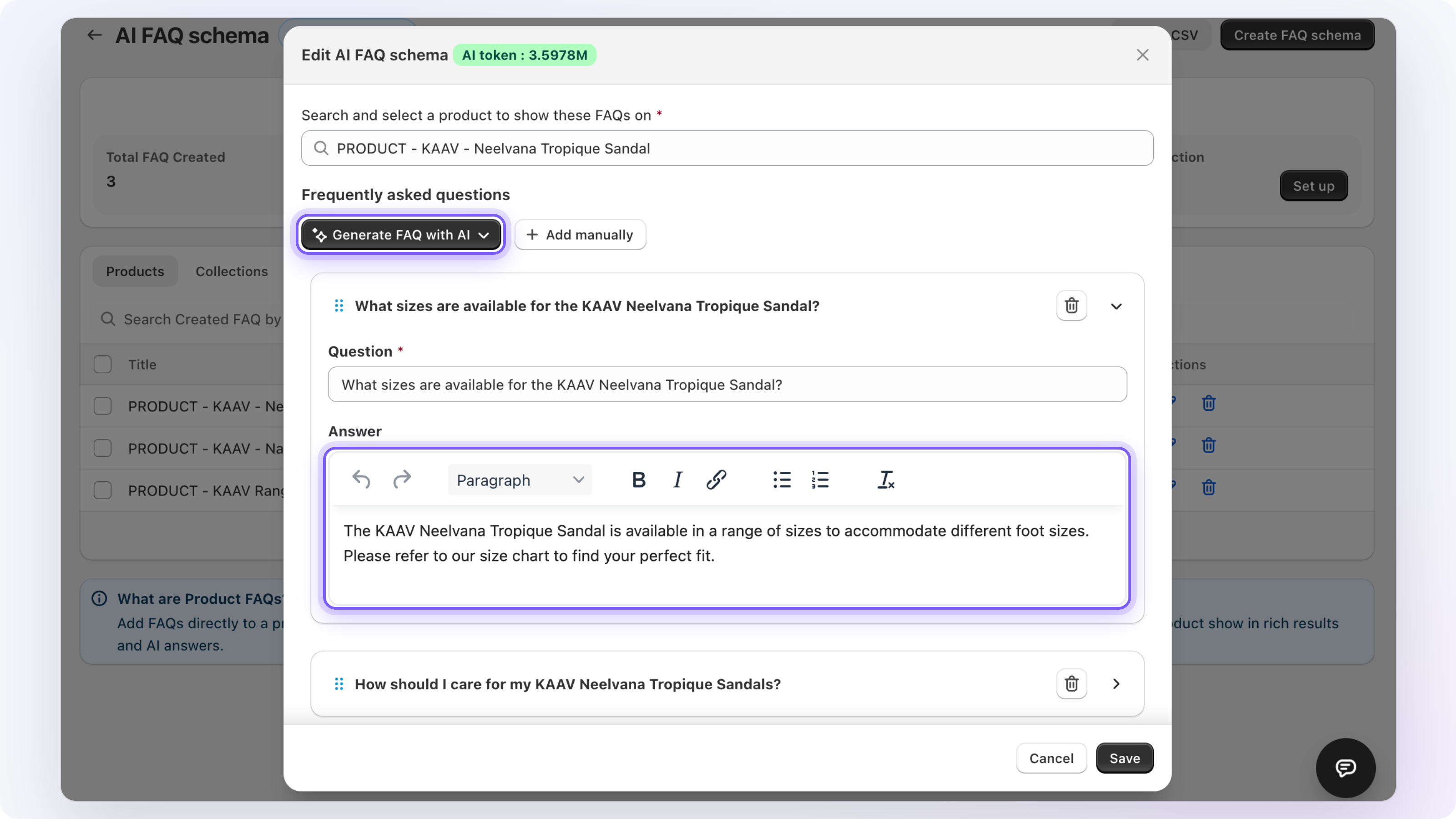
AI Generate Questions: Click the button and Webrex suggests questions based on your product title, description, and metadata. Review each one, edit the answers to match your store's tone, and remove any that are not relevant.
Add Manually: Click the question field, type your question, and write the answer. The answer editor supports bold text, links, and bullet lists.
Five to eight focused questions covering materials, sizing, shipping, care, or returns is a strong baseline for most products. When done, click Save.
Step 3: Turn On Product FAQ Schema
Back in the overview panel, check that Product FAQ Schema shows as Live. If it is not yet active, turn on the toggle. This is a one-time action that applies to all product FAQs store-wide. You also need the Webrex SEO Schema Embed block active in your Shopify theme. The app will prompt you if it is not, and adding it takes under a minute.
Once live, every FAQ you create or update is automatically included in the structured data on your product pages.

How to Show FAQs on Your Product Pages
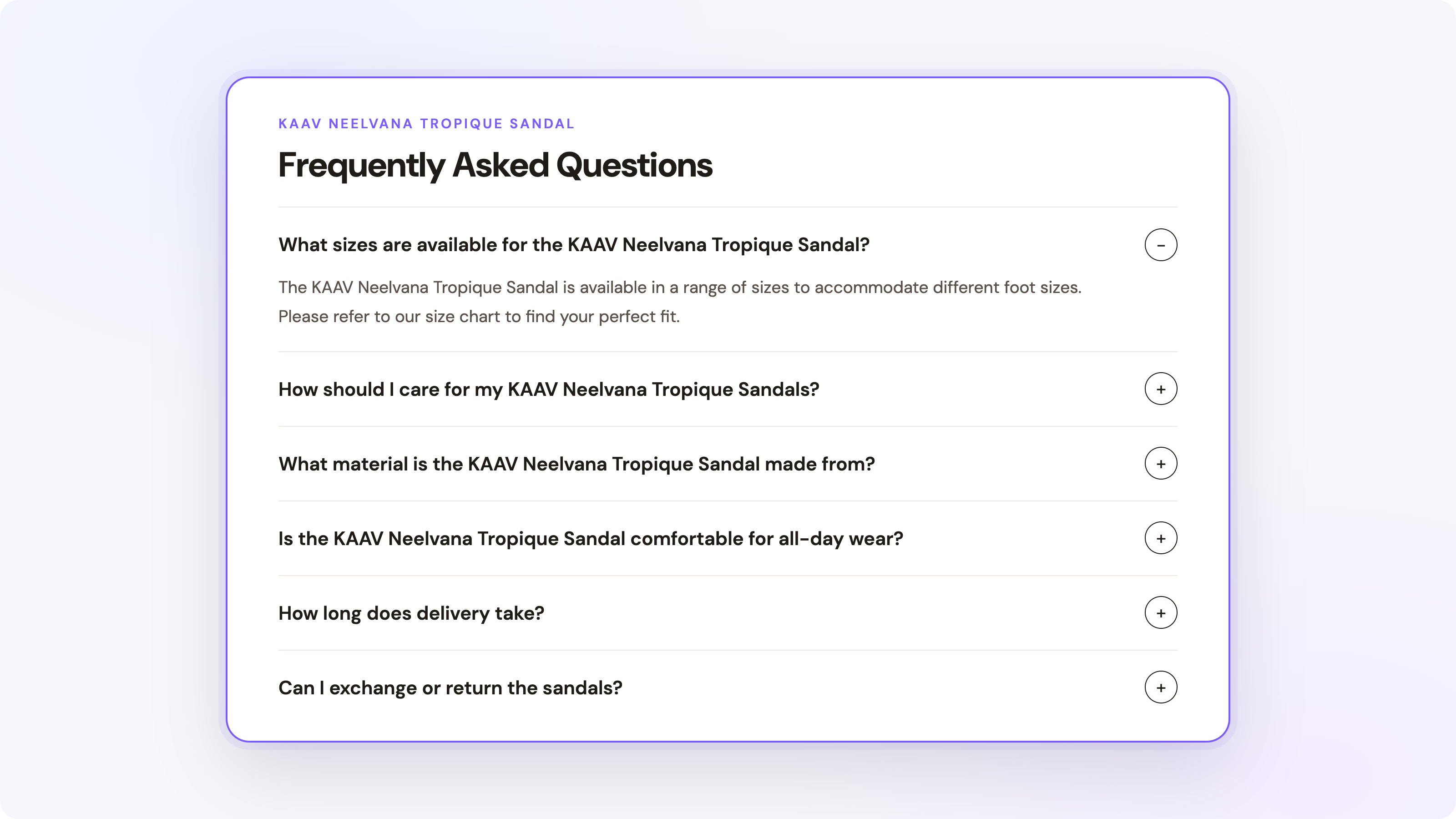
Schema markup is injected into the page code. Shoppers do not see it unless you also enable the storefront section.
Go to the Show FAQs on Store tab inside Webrex. Click Add FAQ to Store next to Product Pages. Shopify opens the theme editor. Drag the FAQ block into position on the product page template, typically below the product description. Save in the theme editor, then return to Webrex and click Sync Status.
Once synced, every product with FAQ schema created in Webrex automatically shows the FAQ section. Products without FAQ schema show nothing.
FAQ Schema for Collections, Articles, and Pages
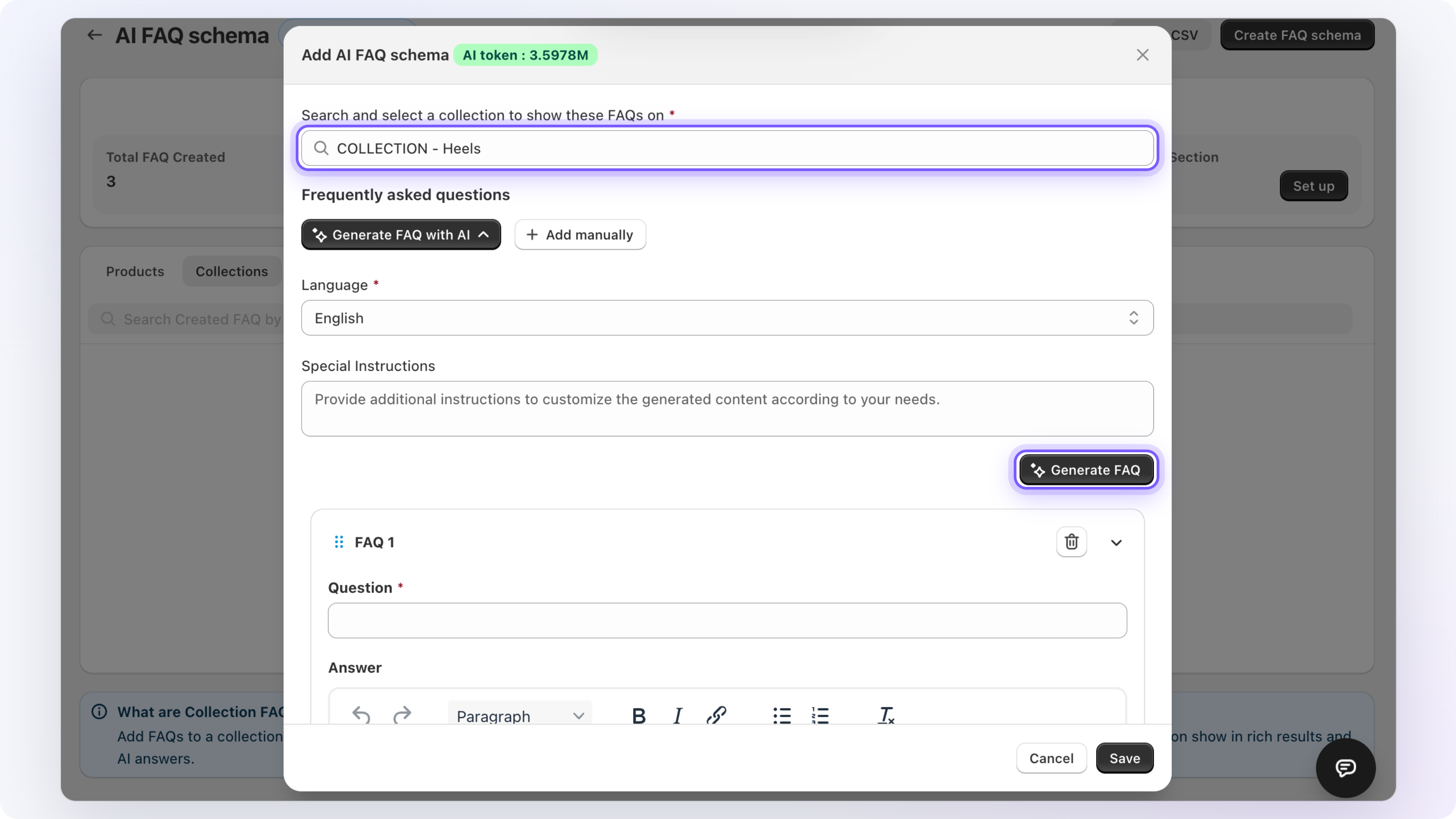
FAQ schema in Webrex is not limited to products. The Collections tab adds FAQ schema to category pages. The Articles tab covers blog posts. The Pages tab covers standalone pages like About or Shipping Policy.
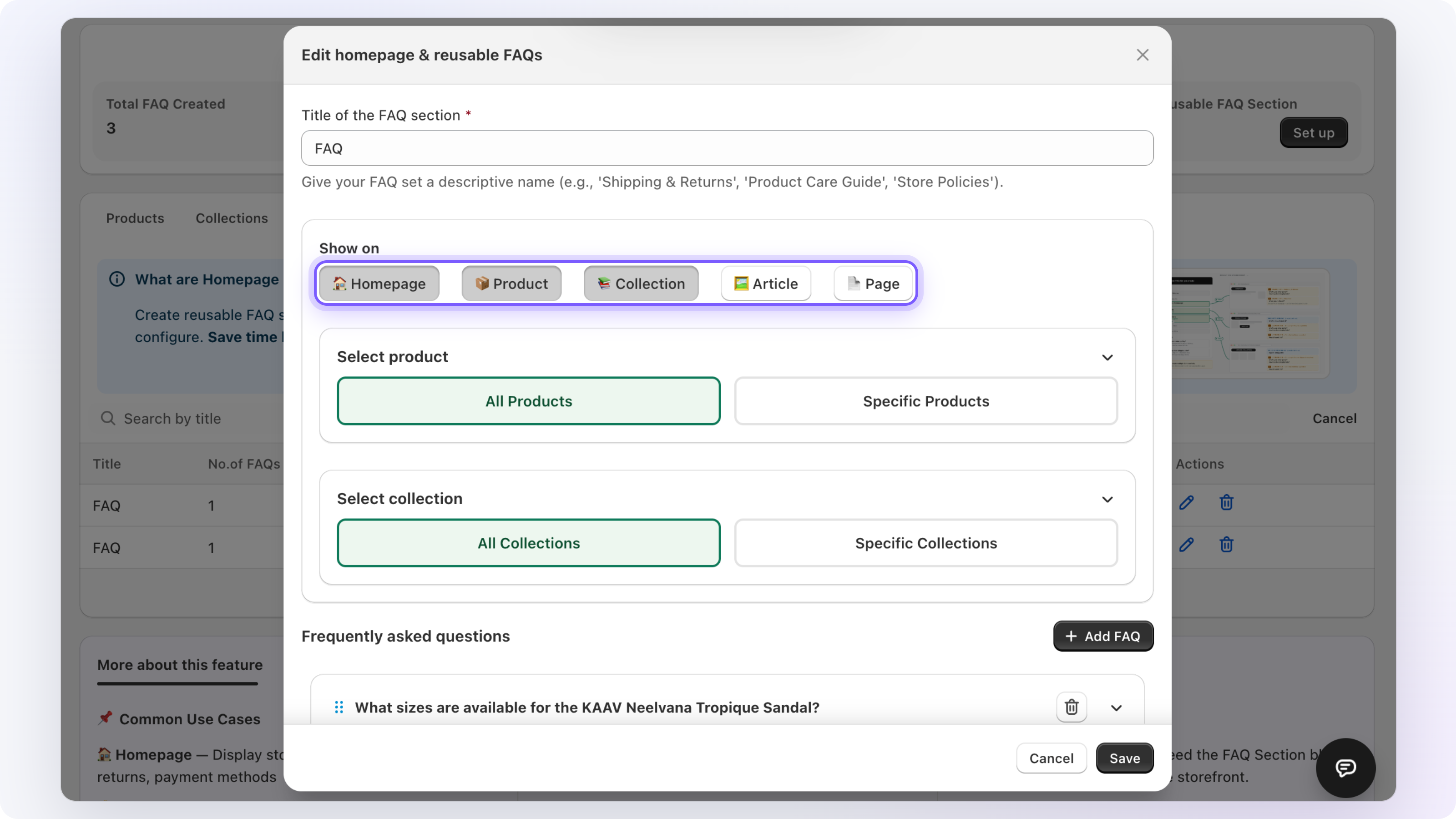
The Homepage tab lets you add FAQ schema directly to your store's homepage. This is useful for brand-level questions like shipping timelines, return policies, or general product range queries that apply to the store as a whole rather than a specific product or collection.
Reusable FAQs let you create a single FAQ set and attach it across multiple products, collections, or pages. If ten products share the same care instructions, sizing guide, or shipping FAQ, build it once under Reusable FAQs and assign it wherever needed. Any edit you make updates every attached page at once, keeping your structured data consistent without repeating work.
Bulk FAQ Schema with CSV Import
For stores with large catalogs, the Bulk Operation tab handles scale.
CSV Import: Prepare a CSV with your products, questions, and answers, then upload it. Webrex creates FAQ schema for all included products in one operation.
Bulk AI Generation: Select multiple products and generate AI-suggested questions for all of them at once. Review the output before saving.
All FAQ data is stored in Shopify as metafields, which means it is part of your store's data, exportable, and compatible with Shopify's translation tools for multi-language stores.
Flexible Formatting and Translation-Ready
FAQ answers in Webrex are fully editable with rich text formatting. You can apply bold, italic, add hyperlinks, and use bullet lists inside any answer, so the content reads naturally on the storefront rather than plain unformatted text.
Since all FAQ data is stored as Shopify metafields, it integrates directly with any Shopify-compatible translation app. When a shopper switches to a different language on your store, the FAQ content translates automatically through your translation setup, no manual re-entry required. The same structured data that powers your schema also renders in the translated version, keeping your FAQ section consistent across every language your store supports.
Why Add FAQ Schema with Webrex
- No code required: Webrex writes and injects the FAQ JSON-LD markup automatically, nothing to build or maintain manually.
- AI-ready content: Structured FAQ markup helps Google AI Overviews identify your product pages as credible, citable answer sources.
- Shoppers see it too: Publish FAQs as a buyer-facing section directly on product pages, no theme development or Liquid editing needed.
- Covers your full store: Products, collections, articles, pages, and your homepage all managed from one dashboard, with reusable FAQ sets to apply the same content across multiple pages without rebuilding it each time.
- Built for scale: Import FAQs in bulk via CSV or generate AI questions across multiple products at once with the Bulk Operation tab.
The Takeaway
Adding FAQ schema to your Shopify products with Webrex: AI SEO, Schema JSON-LD takes the same effort as writing a product description. The difference is that the structured version of that content is readable by search engines, citable by Google AI Overviews, and visible to buyers as a FAQ section on your product pages.
Create the FAQ, enable the schema, publish the section. All three happen from the same interface.
Article by

Install SEO Schema
Add SEO Schema & JSON‑LD to your Shopify store in one click. Try it free and start optimizing your conversions and average order value instantly.
Want this done for you?
Webrex runs SEO, CRO & Ads as a comprehensive 6-month growth roadmap. Let our certified Shopify experts set up the app and scale your store.