







Blogs Free Strategy Call
Core Web Vitals

Shopify Speed Optimization That Fixes What Google Actually Measures

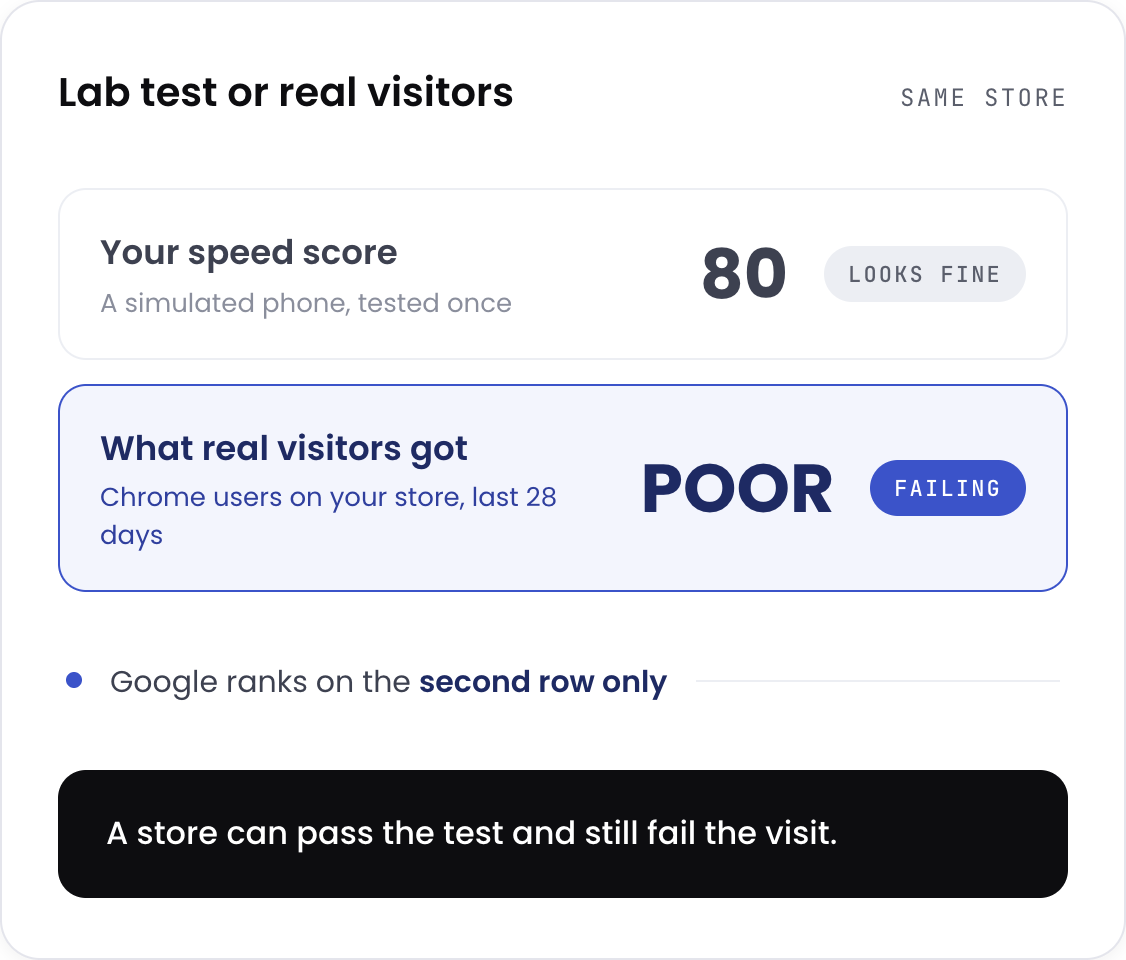
Your Shopify speed score can read 80 while Google Search Console says your store is failing. One is a lab test. The other is what real visitors experience, and only one of them affects your rankings. Our Shopify speed optimization service works on the second.

Shopify speed optimization based on real Chrome user field data, not just a lab score
Trusted by Shopify brands
Lab score vs field data

What is Core Web Vitals optimisation, and how is it different?

Core Web Vitals are three numbers Google uses to judge whether your store feels fast to a real person. How quickly the main content appears, how quickly the page responds when someone taps, and whether things jump around while it loads.

Most people looking to optimize Shopify speed start with the wrong number. The difference from general page speed work is where the measurement comes from. Most agencies optimise a Lighthouse score, which is a simulated test from one location on a pretend phone. Google ranks on CrUX field data, which is what actual Chrome users experienced on your store over 28 days. Those two can disagree completely. A store can score well in the lab and still be flagged as Poor in Search Console, which is why some stores pay for speed work and see no ranking change at all.

Lighthouse lab score versus CrUX field data: what Google actually ranks on
The four pillars

Every engagement covers four pillars

01/04

Loading (LCP)

Hero images converted to modern formats, preload and priority hints added, server response time reduced.

Target Main content visible in under 2.5 seconds.

02/04

Responsiveness (INP)

JavaScript deferred so the browser is not busy when someone taps; app scripts sequenced rather than removed.

Target Page responds to a tap in under 200ms.
03/04

Stability (CLS)

Space reserved for images, fonts, and anything that loads late, so nothing jumps.

Target Almost no layout movement.
04/04

App load order

Every installed app audited for what it injects and when. Dead code from uninstalled apps removed.

Target Fewer scripts blocking the page, same functionality.

Every engagement ends with before-and-after numbers across all four, plus a maintenance checklist.

Common mistake

Uninstalling a Shopify app does not remove its code.

This is the single most common problem we find, and almost nobody knows about it. When you delete an app, the scripts it injected into your theme files stay behind. They load on every page, for every visitor, forever, doing nothing.

Most stores believe uninstalling means the code is gone, and assume their live apps are the problem worth chasing. In reality, dead code from past installs is often worse, and the fix is rarely removing apps at all. It is usually changing when the remaining ones load. A store's Shopify speed score can look fine while Google's field data says the opposite.

A store with six past app installs commonly carries three or four dead script tags firing on every request. On one jewellery store, remnant code from uninstalled apps was the primary cause of a 5.8 second load time. Not the six live apps. The three that had already been deleted.
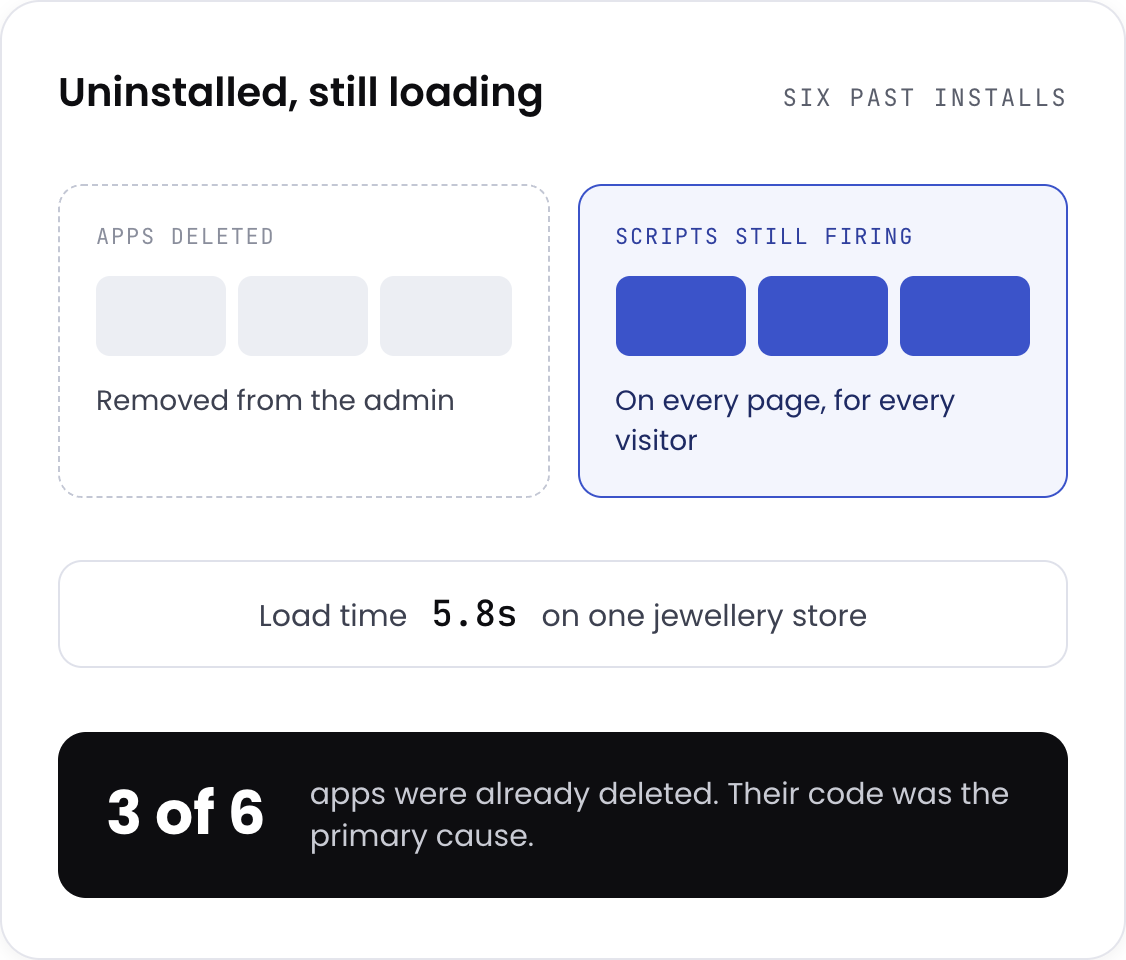
Dead script code left behind by uninstalled Shopify apps still loading on every page
Our own tooling

We built a Shopify speed app, so this is not theory for us

Webrex operates nine apps on the Shopify App Store with over 300,000 merchants between them. One of them is SEO Speed Optimizer, which handles image compression and page speed at scale.

Webrex: SEO Speed Optimizer 4.9 · 143 reviews
We know what app scripts do to a page because we ship them and measure the cost
Anything the app can handle, it handles, at no licence cost during the engagement
Anything it cannot, we do by hand in your theme
We can tell you honestly when an app is the wrong tool, including ours

Diagnosis runs on the standard tooling: PageSpeed Insights, Lighthouse, GTmetrix, and CrUX field data through Search Console. No proprietary score you have to take our word for.

View our apps
Our process

The Webrex Growth Framework

1
Phase 01

Audit

Lab and field data across device types, every installed app catalogued against the scripts it injects, server response measured by page type. You get a prioritised fix list with projected movement per fix.

2
Phase 02

Sequence

Which layer to fix first, and what each one should be worth. Anything that could affect design or functionality is flagged before it happens, not after.

3
Phase 03

Implement

Images, then code, then infrastructure, then the Shopify-specific layer. Scores checked after each stage so you can see which change did what.

4
Phase 04

Validate

All tools re-run, before-and-after documented, real-user monitoring set up in Search Console. You get a maintenance checklist for future app installs.

Typical engagement is 4 to 6 weeks. Shopify Plus with checkout work runs 5 to 7 weeks.
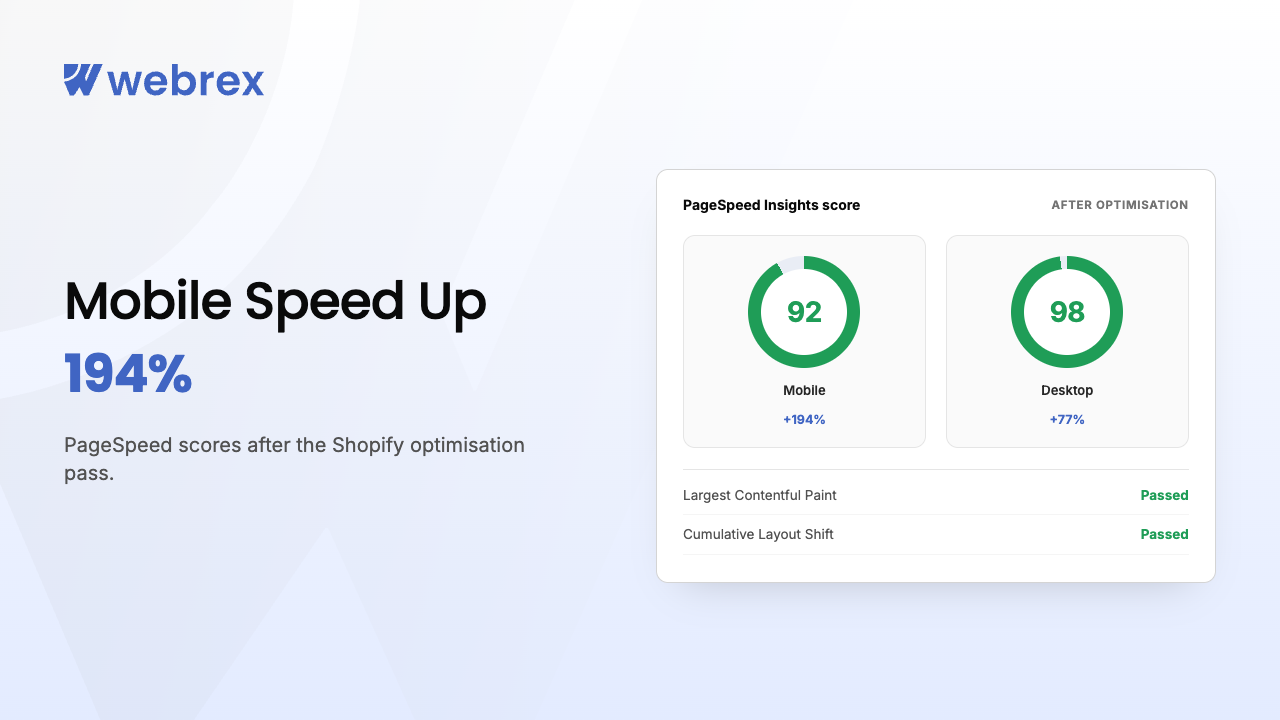
Proof, not promises

Real stores, real numbers

Fit check

Is this a fit?

Good fit if you

  • Are seeing Poor or Needs Improvement in the Search Console Core Web Vitals report
  • Have installed and uninstalled a fair few apps over the years
  • Run paid traffic, where slow landing pages cost you twice, in conversion and in ad quality score
  • Want the fixes implemented, not a PDF of recommendations

Not a fit if you

  • Want a higher Shopify speed score specifically. We optimise for what Google ranks on, and the two do not always move together
  • Are unwilling to remove or resequence any app. Some of the work is not possible otherwise
  • Need the design changed to hit the target. Everything we do is non-destructive to layout, which is a constraint we accept
  • Have a brand new store with no field data yet. There is nothing to measure

If you are in the second list, say so on the call. We will tell you what we would do instead.

Straight answers

Common questions

01Why does Core Web Vitals assessment fail, and how do I fix it?
It fails when one of the three metrics misses Google's threshold across enough of your real traffic. Google groups similar pages together, so one bad page type, usually collection pages on mobile, can fail the whole group. To fix a Core Web Vitals assessment failure, open the Search Console report and see which group is flagged and which metric it names. On Shopify it is almost always LCP, and the usual causes are an uncompressed hero image and scripts from apps you already uninstalled. One warning: the report lags 28 days. You can fix it today and watch the status stay red for a month. That is normal, not a failed fix.
02How to pass the Core Web Vitals assessment?
All three metrics inside Google's thresholds for at least 75% of real visits: content visible under 2.5 seconds, response to a tap under 200ms, almost no layout movement. The 75% is what catches people out. Desktop can be fine while mobile drags the group under, and mobile is assessed first. Test on a mid-range Android on a normal connection, not your own phone on office wifi.
03What is a good Shopify speed score?
Above 50 on mobile is decent, above 70 is strong, and most stores we audit sit in the 20s and 30s. But the number matters less than merchants think. It is a lab test and Google does not rank on it. A store scoring 45 with good field data outranks one scoring 75 with poor field data. Use it to find problems, then check Search Console to find out whether you have one.
04Which Core Web Vitals test should I trust?
Any test running on lab data gives you a diagnosis, not a verdict. Lighthouse, GTmetrix and Shopify's own score are all lab tests: good for finding what to fix, unreliable for telling you whether you passed. Use PageSpeed Insights, because it shows both. Read the field data section underneath the lab results. Google Core Web Vitals rankings come from that and nothing else.
05How long does it take?
4 to 6 weeks for most stores. Shopify Plus with checkout work: 5 to 7 weeks. You get a specific timeline after the audit rather than before.
06Will this break my theme design?
No. Every change is non-destructive to layout. Images keep their visual quality, JavaScript is resequenced rather than deleted, and CSS changes are additive. Anything that would affect design gets flagged before implementation.
07Do I have to uninstall my apps?
Usually not. The issue is normally when apps load, not that they exist. Most can be deferred so they stop blocking the page. The exception is dead code from apps you already removed, which goes entirely.
08What targets do you work to?
Google's Good thresholds: LCP under 2.5 seconds, INP under 200ms, CLS under 0.1. In practice, we aim slightly inside those, so you keep margin as the store changes.
09Do Core Web Vitals actually affect rankings?
Yes, as part of Google's page experience signals. The effect is strongest on mobile and in competitive categories where other ranking factors are close. It also reduces bounce rate, which helps in its own right.
10Which themes do you work with?
Dawn, Prestige, Impulse, Turbo, Pipeline, and fully custom builds. Custom themes take longer to diagnose because the architecture is unfamiliar, which we account for in the audit.
11What happens after the engagement?
You get a maintenance checklist covering how to evaluate a new app before installing it, image upload standards, and quarterly checkpoints. Real-user monitoring is set up in Search Console so you can see drift before it becomes a problem.
Free Strategy Call

Ready to Grow Your Store?

Proven SEO, performance & CRO strategies to scale your Shopify brand.

+1 (787) 468-5765