











Blogs Free Audit
Theme Customization

Shopify Theme Development That Does Not Trap You

Most customisation work hard-codes your store into a corner. Every future change needs a developer, and the theme can never be updated again. We build so your team can edit content without touching code, and so the theme survives its next version.

Shopify theme customization built so your team can edit content and the theme still updates
Trusted by Shopify brands
Not a rebuild

What is Shopify theme customisation, and how is it different?

Theme customisation is changing an existing Shopify theme rather than building one from scratch. Dawn, Prestige, Impulse, whatever you are running now, extended to do what your store actually needs.

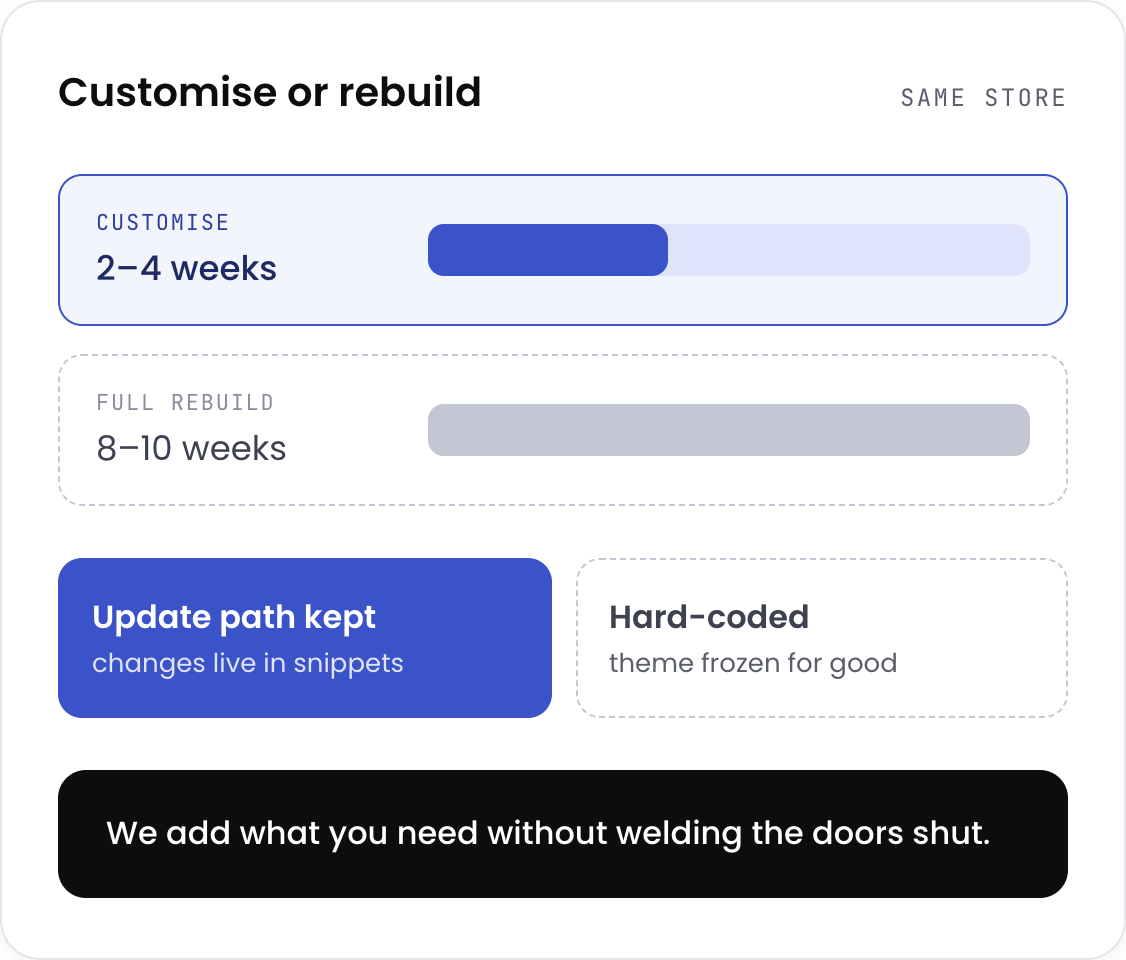
The difference between customisation and full Shopify theme development is cost, risk, and time. A rebuild is 8 to 10 weeks, and everything is your responsibility afterwards. Customisation is 2 to 4 weeks, and you keep the theme's own update path, provided the work is done properly. That last part is where most agencies fail. Hard-code a section, and you have saved a week now and lost the ability to update the theme forever. The job is to add what you need without welding the doors shut.

Shopify theme customisation versus a full rebuild: cost, risk and time compared
The four pillars

Every engagement covers four pillars

01/04

Theme audit

What your current theme can and cannot do, which apps are duplicating theme features, and what breaks on the next update.

What changes You find out whether you need customisation or a rebuild before you pay for either.
02/04

Section building

New sections built as proper Online Store 2.0 blocks with schema settings, not hard-coded markup.

What changes Your team adds, reorders and edits sections in the theme editor without a developer.
03/04

App replacement

Features currently handled by apps rebuilt in theme code where it makes sense.

What changes Fewer monthly fees, fewer scripts, faster pages.
04/04

Upgrade safety

Changes kept in snippets and sections rather than scattered through core files, documented so the next person can read it.

What changes The theme can still be updated. Your customisation is not a dead end.

Every build is handed over with documentation and a Loom walkthrough for your team.

Common mistake

Most stores solve theme gaps by installing an app. Each one is a permanent tax.

An app takes ten minutes to install and solves the problem today. It also adds JavaScript on every page load, a monthly fee forever, and a conflict risk with the next app you install.

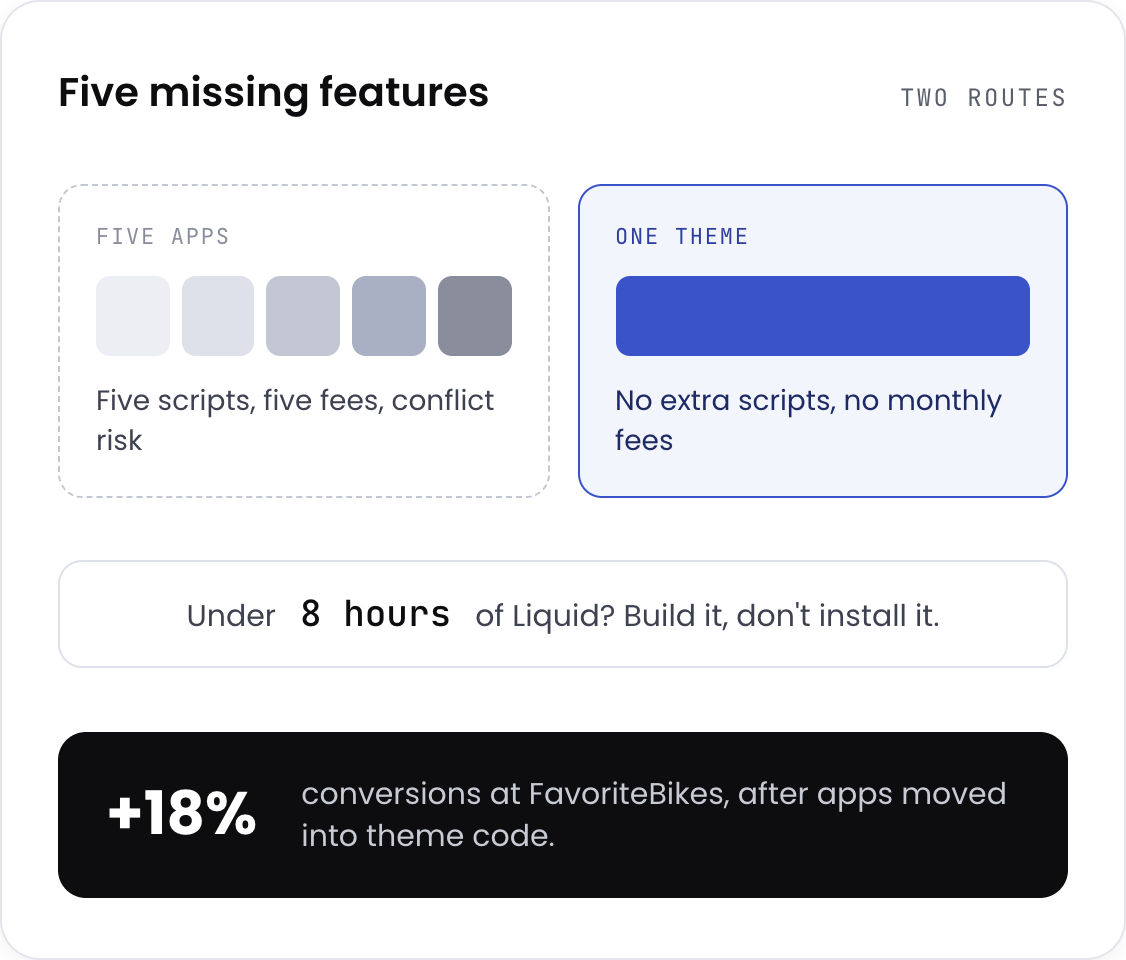
Do that five times, and your store is slow, expensive, and fragile, and nobody can point to which app caused it. What most stores do instead of fixing this: install an app for each missing feature, accept the page weight as unavoidable, hard-code the fix into the template, and stop updating the theme because it might break. What we do instead: build it into the theme if it takes under 8 hours, audit the stack and remove what the theme can do natively, build it as an editable section so your team owns it, and keep changes in snippets so updates stay possible.

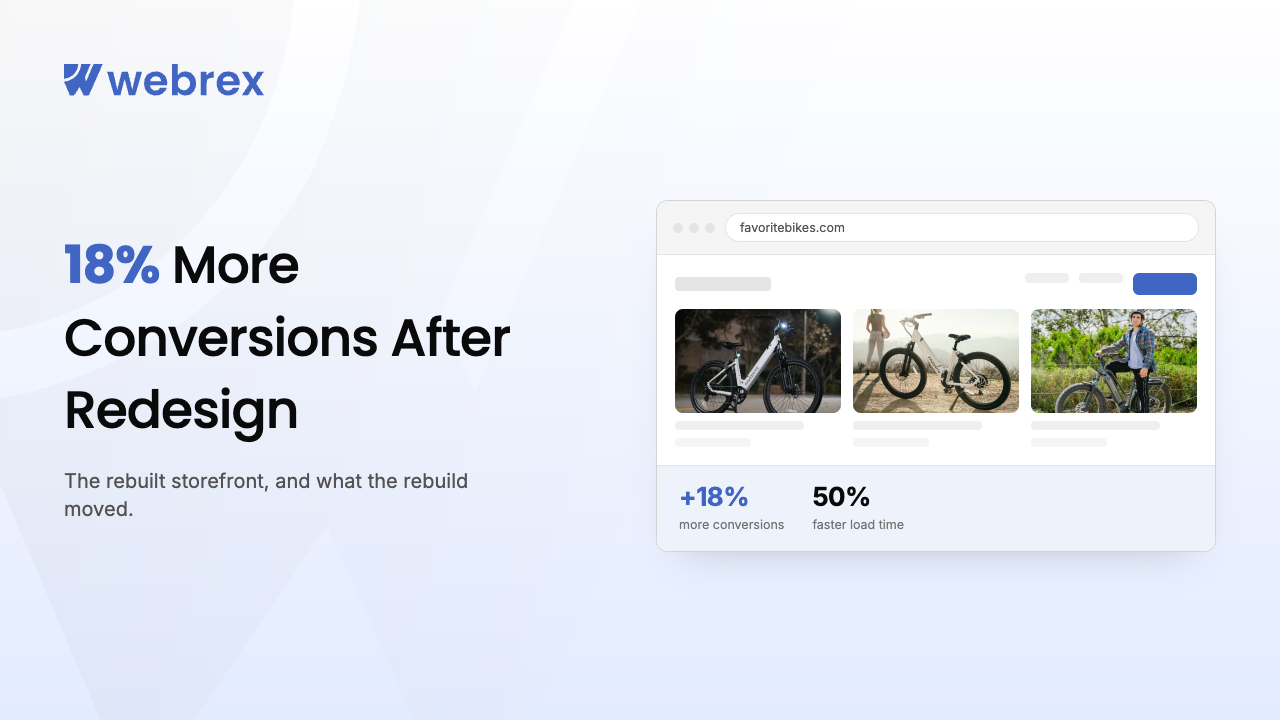
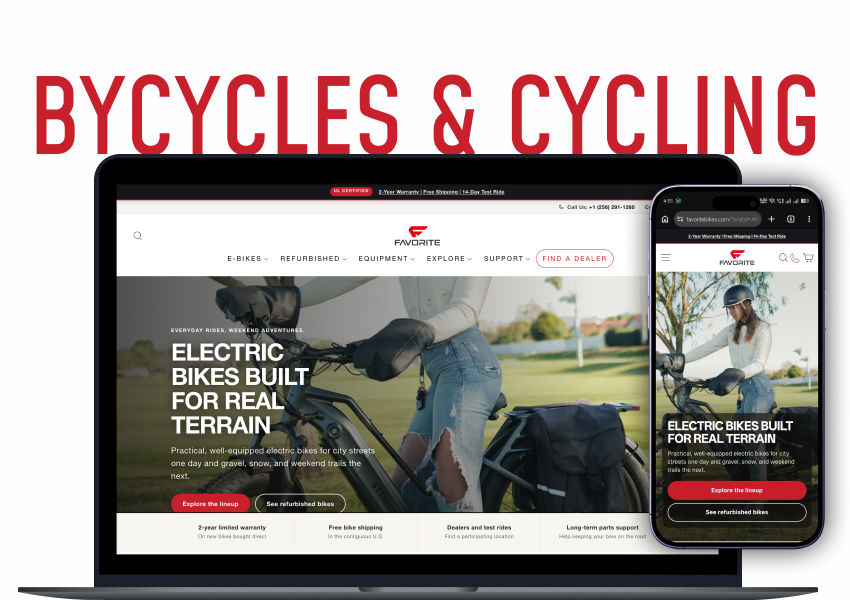
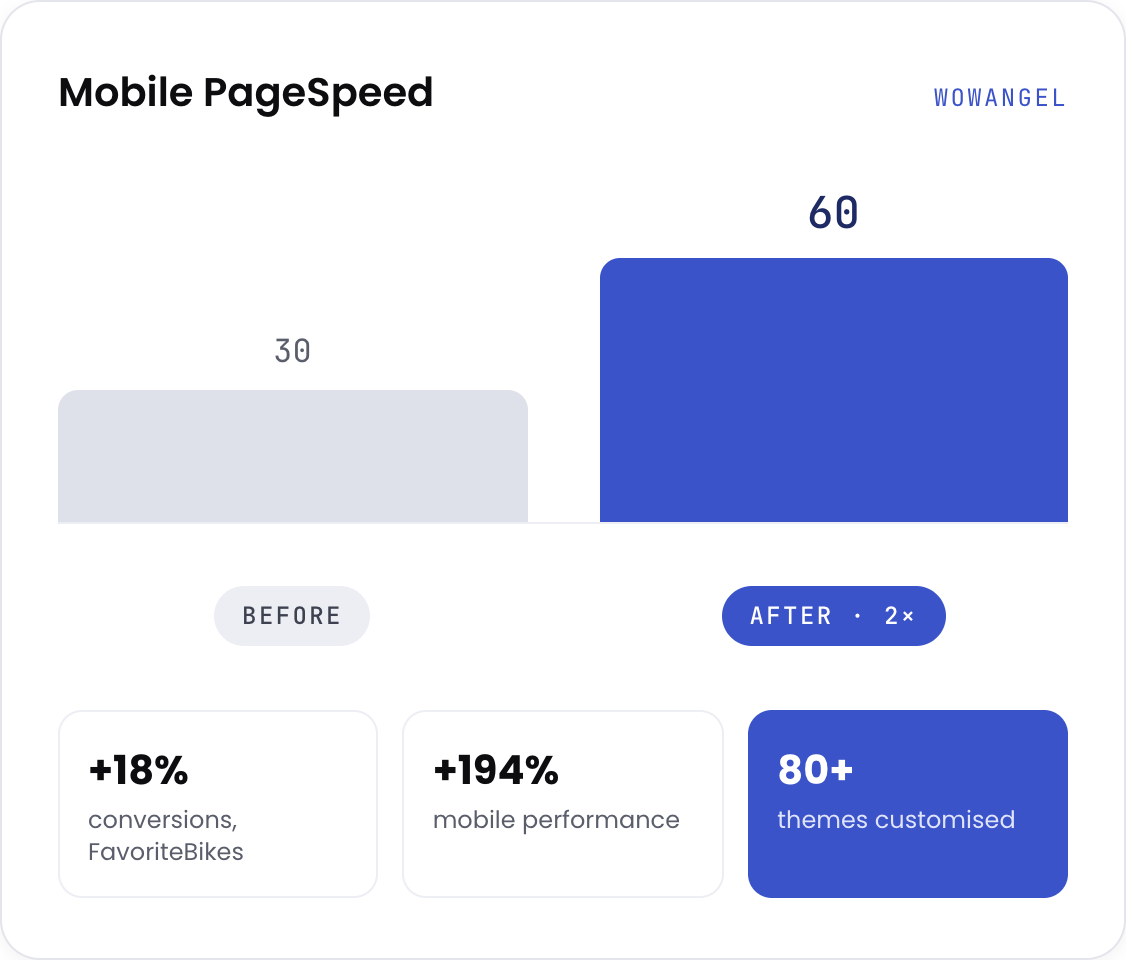
FavoriteBikes replaced app functionality with theme code, and conversions rose 18%. Fewer scripts, faster pages, and the store stopped paying for features the theme could handle on its own.

What most stores do when a theme is missing a feature versus what Webrex does instead
Our own tooling

We run nine Shopify apps, so we know exactly when not to use one

Webrex operates nine apps on the Shopify App Store with over 300,000 merchants between them. That gives us an unusual position on this page: we sell apps, and we will still tell you to remove one.

We know what an app genuinely costs in page weight, because we measure ours
We know which features belong in an app and which belong in theme code
We know how apps inject into themes, which is why we can find the conflict
Where one of our apps does the job better than custom code, you get it at no license cost

The rule we use: if a feature can be built in Liquid in under eight hours, it should not be an app. Above that threshold, an app is usually the right answer, and sometimes it is one of ours.

View our apps
Our process

The Webrex Growth Framework

1
Phase 01

Audit

What the theme does now, what your apps are duplicating, what is hard-coded, and what breaks on update. You get a written report either way.

2
Phase 02

Scope

Customise or rebuild, decided on evidence rather than instinct. If a rebuild is genuinely cheaper over two years, we will say so, even though it is a bigger invoice for us.

3
Phase 03

Build

Work on a duplicate theme, never the live one. Sections built as editable blocks. You review on a preview link before anything is published.

4
Phase 04

Hand over

Published, documented, with a Loom walkthrough so your team can run it. Changes kept in snippets so future updates remain possible.

Standard customisation runs 2 to 4 weeks. A full rebuild with custom architecture runs 5 to 6 weeks.

Proof, not promises

Real stores, real numbers

Fit check

Is this a fit?

Good fit if you

  • Run a decent theme that does most of what you need but not all of it
  • Are paying for apps that duplicate things your theme could do
  • Have inherited a theme nobody can safely update
  • Want your team editing content without raising a ticket every time

Not a fit if you

  • Need a store designed from scratch. That is UI/UX Design followed by a build
  • Need custom apps, subscriptions, or Plus checkout logic. That is Custom Shopify Development
  • Have a crawling or indexing problem. That is Technical SEO, and it is a different job from theme work
  • Only want it to look different. Restyling is cheap, and you do not need us for it

If you are in the second list, say so on the call. We will point you to the right page.

Straight answers

Common questions

01What is the difference between theme customisation and custom theme development?
Customisation modifies a theme you already run, through Liquid, sections, and CSS. Custom development builds from a blank slate. Customisation is faster, cheaper, and lower risk, and it keeps the theme's update path. Custom development is right when what you need is so far from any existing theme that fighting it costs more than starting over. Most stores need customisation and get sold development.
02Will customisation break my theme updates?
Not if it is done properly, and this is the question worth asking any agency. Changes belong in snippets and sections, not scattered through core template files. Done that way, you can still take theme updates. Done badly, your theme is frozen at the version you customised, which is how most stores end up trapped.
03Which themes do you work with?
Dawn, Prestige, Impulse, Debut, Kalles, Debutify, and any custom or third-party base. Liquid is Liquid.
04How long does it take?
Standard customisation: 2 to 4 weeks. Full rebuild with custom architecture: 5 to 6 weeks. Shopify Plus: 6 to 10 weeks.
05Can you remove apps and build the features into the theme?
Often, it is the highest-value work available. We audit what each app does, what it costs you in page weight and fees, and what the theme could handle natively. Not everything should move. Anything under roughly eight hours of Liquid work almost always should.
06Will my team be able to edit it afterwards?
That is the point. Sections are built as proper Online Store 2.0 blocks with editor settings, so content changes happen in the theme editor rather than in code. You get documentation and a walkthrough at handover.
07Can you customise without breaking my rankings?
Yes, with a crawl audit before anything changes. We record the existing structure, work on a duplicate theme, validate, then publish. If you have a genuine indexing problem underneath, that is a separate job and belongs with Technical SEO.
Still have questions? Book a free theme audit

Ready to Grow Your Store?

Proven SEO, performance & CRO strategies to scale your Shopify brand.

+1 (787) 468-5765