
















Blogs Free Audit
Conversion & Analytics

Track What Matters, Then Act On It

Shopify says one number. Google Ads says another. Meta says a third. We rebuild the measurement layer underneath your store so the numbers agree, and so every decision after that is based on something real.

Shopify, Google Ads and Meta reporting different conversion numbers before the tracking layer is reconciled
Trusted by Shopify brands
Not more dashboards

What is ecommerce analytics, and how is it different?

Ecommerce analytics is making sure the numbers you make decisions on are true. Not dashboards. Not more charts. Just the measurement layer working properly underneath everything else.

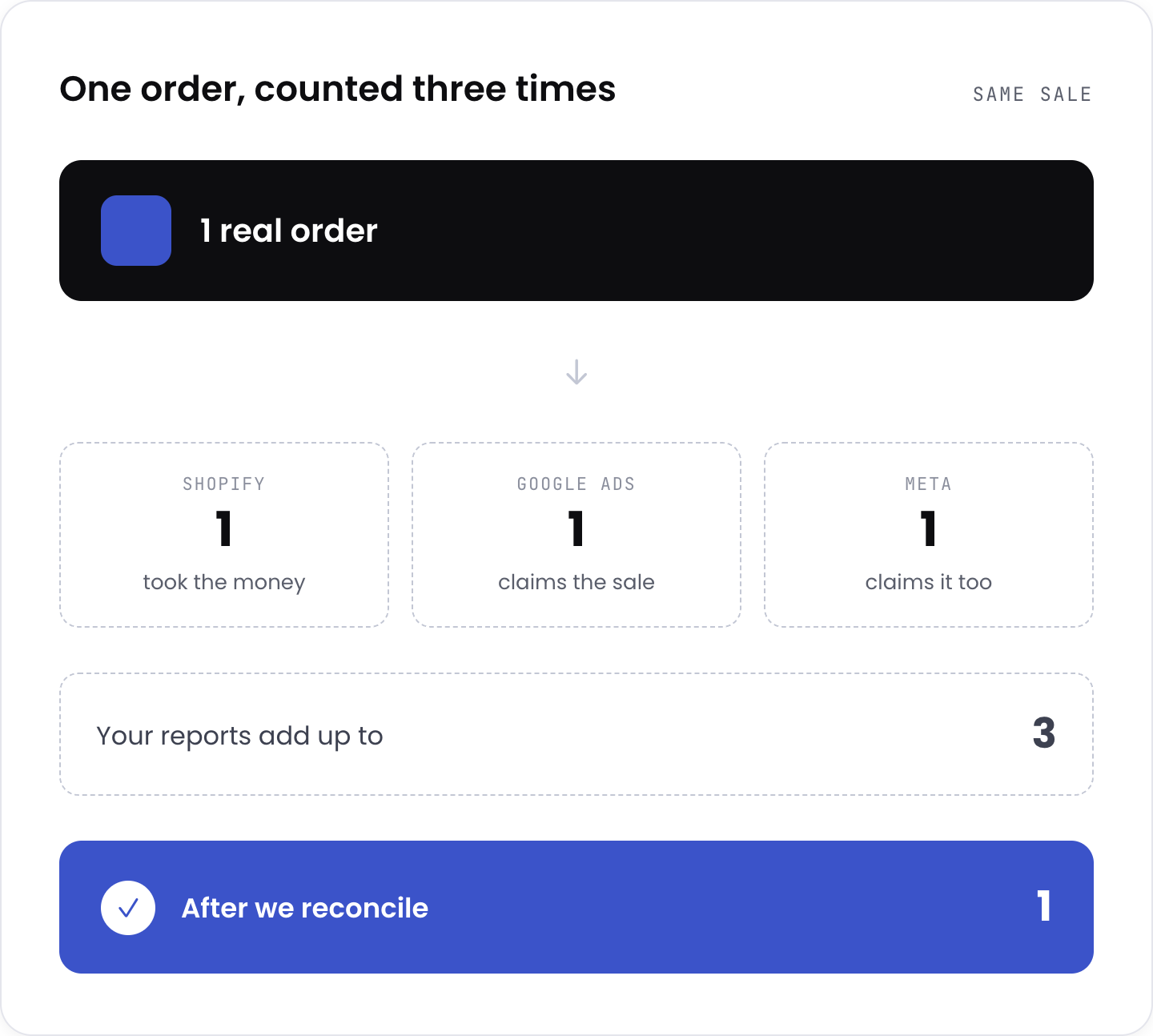
This is where Google Analytics consulting earns its keep, and it is not the job people expect. Most stores have three systems telling three different stories. Shopify counts an order. Google Ads counts a conversion. Meta counts one too, and often takes credit for the same sale. Nobody reconciles them, so the monthly review turns into an argument about whose number is right.

Meanwhile, browser privacy changes have quietly broken a share of the tracking that used to just work, so the platforms are optimising on partial data and spending your budget accordingly. Fixing that is not a reporting job. It is a plumbing job, and it comes before any optimisation is worth doing.

Shopify, Google Ads and Meta each counting the same sale differently, leaving the true number unclear
The four pillars

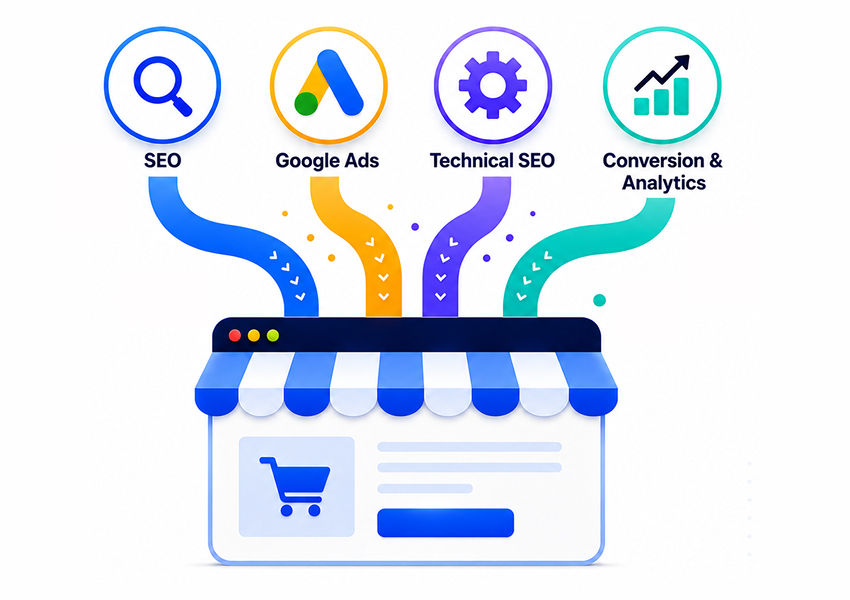
Every engagement covers four pillars

Each one has a named outcome you can check against.

01/04

Tracking audit

Every event checked against real orders, duplicate and missing conversions found, platform numbers reconciled against Shopify.

What changes You find out which of your reports have been lying, and by how much.
02/04

Measurement build

GA4 property and event setup, Google Tag Manager, server-side tracking, enhanced conversions, Meta Conversions API.

What changes Sales still register when browsers block the old methods.
03/04

Attribution

Cross-channel reporting so Google, Meta, and email stop double-counting the same order, first and last touch views.

What changes You can see which channel actually earned the sale, not which one shouted loudest.
04/04

Reporting

One dashboard with the numbers that decide something, monthly review, alerts when tracking breaks.

What changes You stop exporting spreadsheets and start reading one page.

Every engagement includes a monthly review call. If your tracking breaks, you hear it from us, not from a quarter of missing revenue.

Common mistake

Most stores add another dashboard

The problem is upstream.

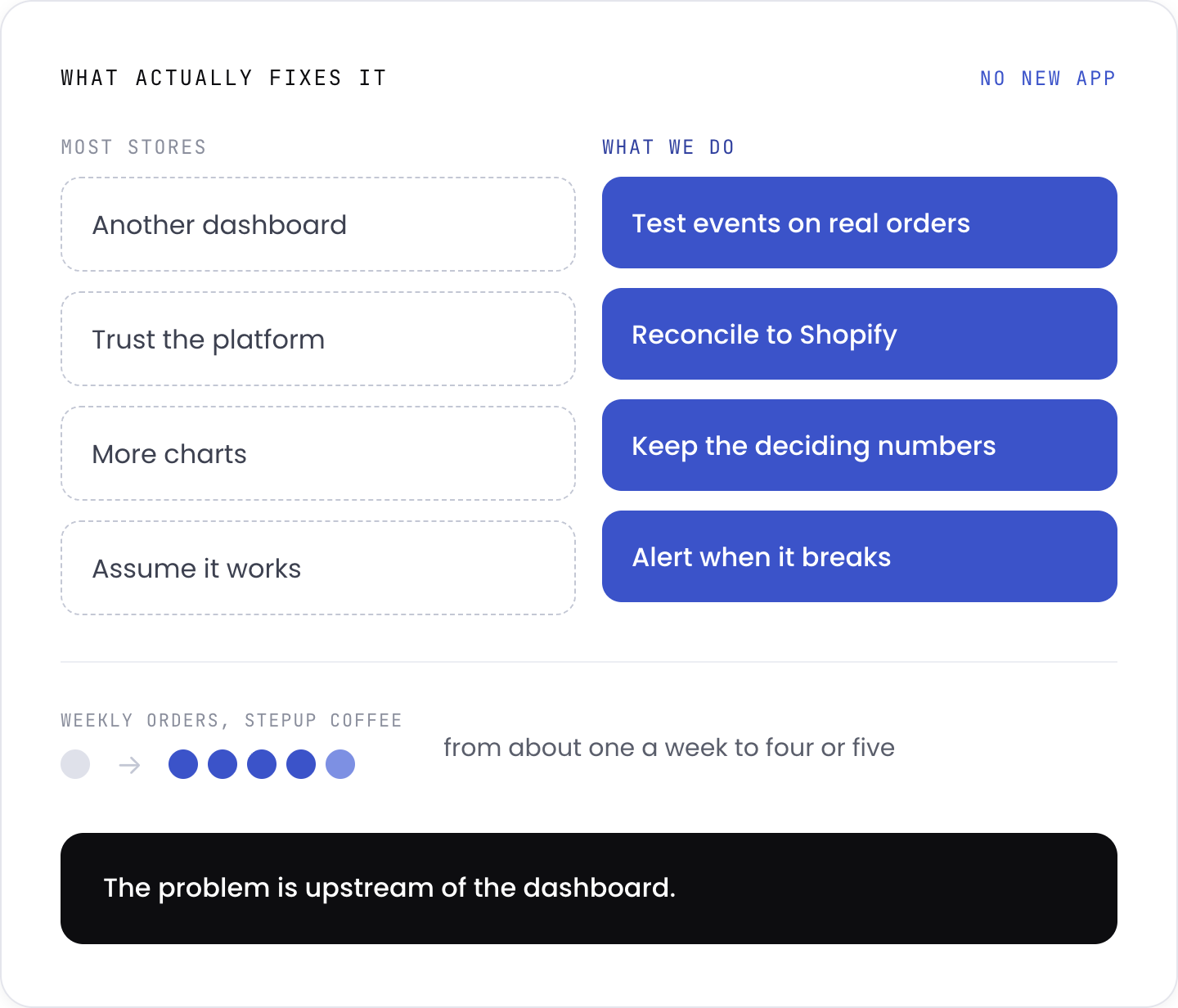
When the numbers do not make sense, the instinct is to buy a reporting tool. But a dashboard reads whatever the tracking hands it. Feed it broken data, and you get a beautifully presented wrong answer, faster.

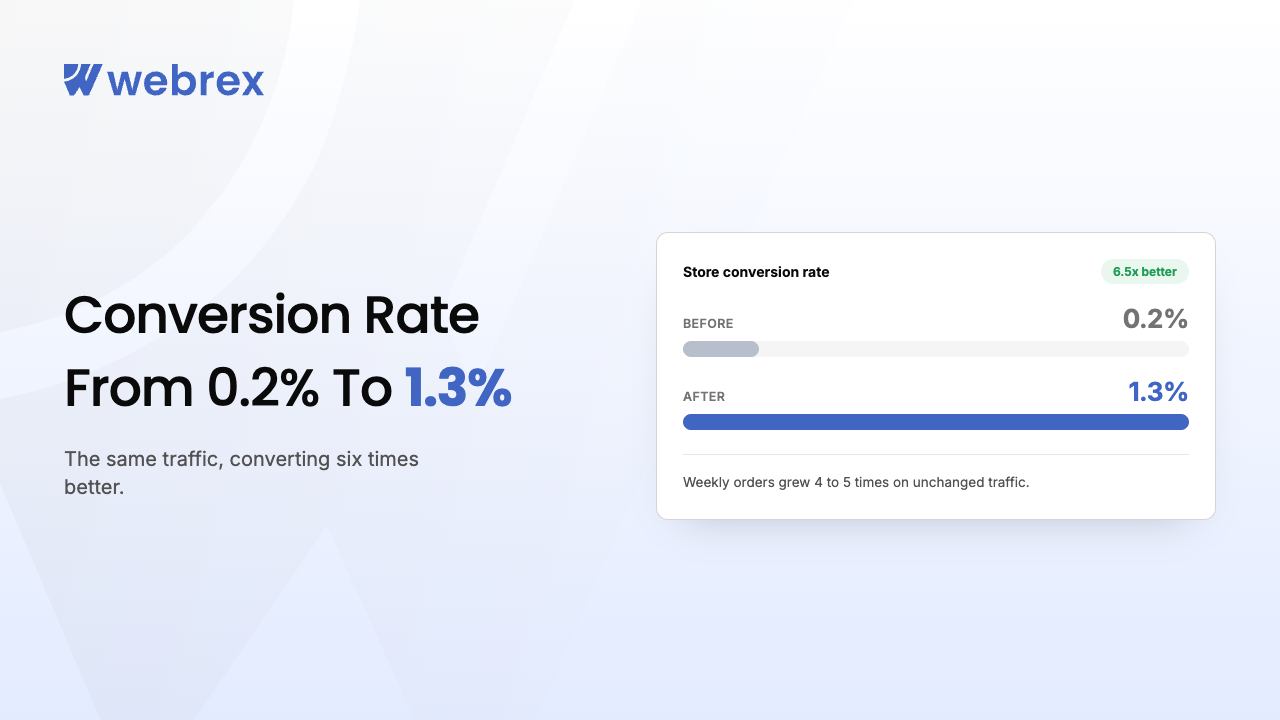
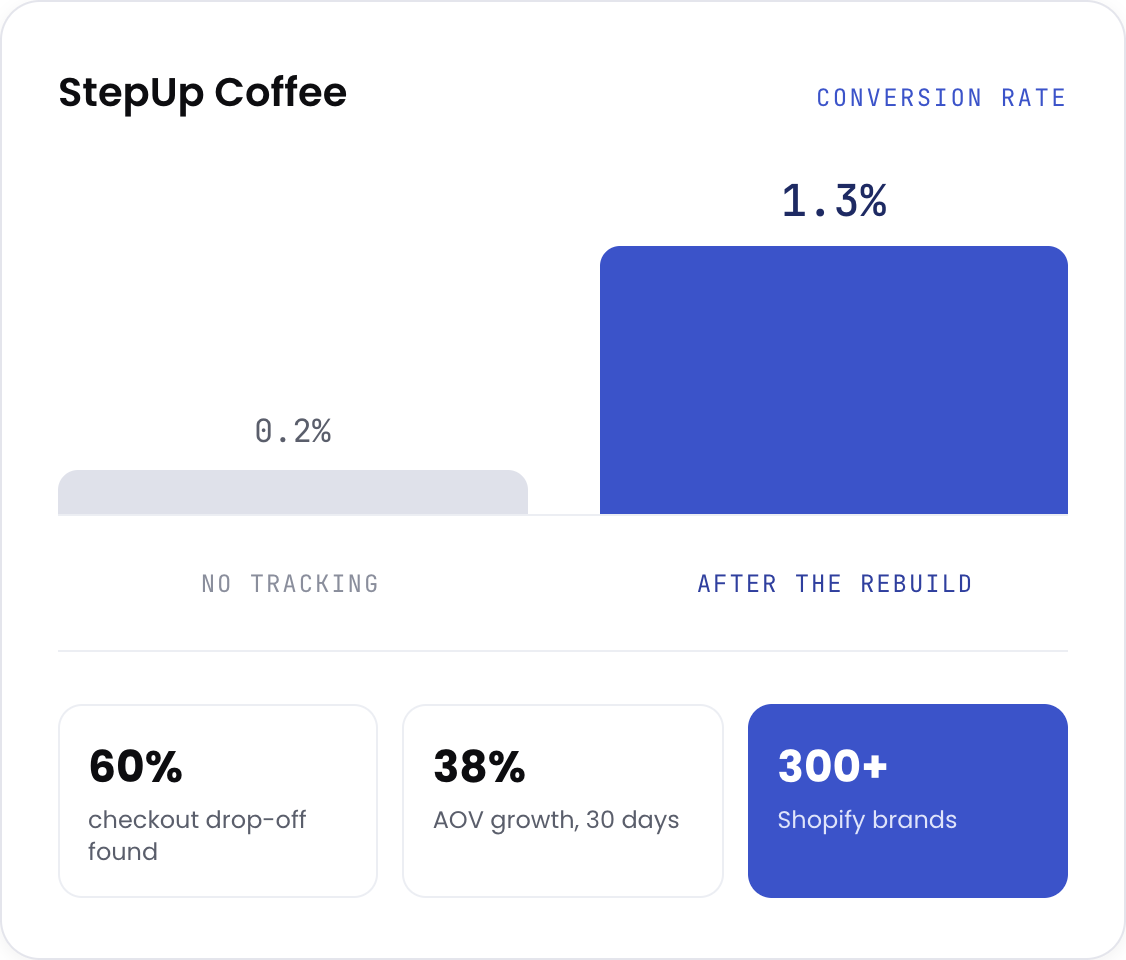
StepUp Coffee came to us with no tracking or attribution structure at all. Spend went out and learnings never came back. Once we could see what was actually happening, the conversion rate moved from 0.2% to 1.3% and weekly orders went from around one to four or five. The fix was not a dashboard. It was being able to see the problem in the first place.

What most stores do versus what actually fixes broken ecommerce tracking
Our own tooling

We do not have an analytics app, and we are not going to pretend otherwise

We build Shopify apps, nine of them, used by over 300,000 merchants. None of them is an analytics product. What that experience gives us is the part most Google Analytics consultants never see: we know how Shopify actually fires its events, because we have shipped code into that layer hundreds of times.

GA4 Property, events, ecommerce setup, and the reports configured so they answer real questions
Google Tag Manager Every tag in one place, documented, so the next person can read it
Server-side tracking Conversions still recorded when the browser blocks the client-side tag
Meta Conversions API Meta receives real purchases instead of guessing at the ones it missed
Shopify analytics Reconciled against everything else, because it is the only system that actually took the money

No proprietary dashboard you have to keep paying us for. When the engagement ends, you keep everything, and it is documented well enough for someone else to run.

Our process

The Webrex Growth Framework

1
Phase 01

Audit

Every conversion event tested against real orders. Platform totals reconciled against Shopify. You get a written list of what is broken and what it is costing you, whether or not you hire us.

2
Phase 02

Rebuild

GA4 and Tag Manager configured properly, server-side tracking deployed, Conversions API connected, every event verified with a live test purchase.

3
Phase 03

Reconcile

Attribution set up so channels stop claiming the same sale. We agree with you on which number is the one you run the business on.

4
Phase 04

Report

One dashboard, the numbers that matter, a monthly review, and alerts when something breaks.

Proof, not promises

Real stores, real numbers

Fit check

Is this a fit?

Good fit if you

  • Run a Shopify or Shopify Plus store and spend on more than one channel
  • Have noticed Shopify, Google, and Meta disagreeing and never got to the bottom of it
  • Are about to spend more on ads and want to know the numbers first
  • Want the tracking documented, not held hostage by whoever built it

Not a fit if you

  • Want a dashboard built on top of tracking you already know is broken. We will fix the tracking first or not take the work
  • Have one channel and one number, and it already reconciles. You do not need us
  • Are pre-launch with no orders to test events against
  • Want the store redesigned to convert better. That is our CRO service, not this one

If you are in the second list, say so on the call. We will tell you what we would do instead, even if it is not us.

Straight answers

Common questions

How to set up conversion tracking in Google Ads?
Create a conversion action in Google Ads, install the tag through Google Tag Manager rather than pasting it into the theme, then import your GA4 purchase event so both systems agree on what a sale is. Turn on enhanced conversions so the match rate survives cookie loss. Then test it with a real order before you spend anything. The setup takes an afternoon. Getting it to agree with Shopify is the part that takes experience, and it is where most accounts quietly go wrong.
How to set up Google Ads conversion tracking on Shopify?
Use the Google and YouTube channel to connect Shopify to Google, which passes purchase events automatically. That gets you most of the way, but it is not enough on its own. Add Google Tag Manager so you control what fires and when, layer in server-side tracking so blocked browsers still report, and check for the duplicate conversions that appear when the channel and a manual tag are both running. Almost every store we audit has both installed, and nobody noticed.
Why do Shopify and Google Ads show different numbers?
Because they count different things. Shopify counts orders. Google counts conversions it believes it caused, credits them to the day of the click rather than the day of the sale, and includes view-through conversions nobody clicked. Meta does the same, more aggressively. Some gap is expected. A large or growing gap means something is broken, and the only way to know which is to test the events against real orders.
What is server-side tracking?
Normally, the visitor's browser reports the sale to Google or Meta. Browsers and ad blockers increasingly stop that. Server-side tracking sends it from your server instead, which the browser cannot block. It matters because the platforms optimise on the data they receive. Missing sales means optimising toward the wrong people.
How do I know my conversion tracking is broken?
Place a real order and see whether it appears correctly in every platform. Most people never do this. Compare a month of Shopify orders against GA4 and your ad platforms. Small gaps are normal, large ones are not, and revenue totals that drift apart over time usually mean duplicate or missing events.
Is this the same as your CRO service?
No. Analytics makes sure the numbers are true. CRO changes the store to improve them. Analytics comes first, because you cannot tell whether a change worked if the measurement was wrong to begin with. Plenty of clients do both, in that order.
What does it cost?
A one-off tracking audit and rebuild starts at £1,500. Ongoing analytics and reporting start at £900/month. Scope depends on how many channels and markets you run.
How long does it take?
Audit in about a week. Rebuild and verification take two to four weeks, depending on how many platforms are involved. Dashboards and reporting follow once the data underneath is trustworthy.
Do we keep the setup if we stop working with you?
Yes. It is built in your GA4, your Tag Manager, your accounts, and documented. Nothing is locked to us.
Still have questions? Get a free tracking audit

Ready to Grow Your Store?

Proven SEO, performance & CRO strategies to scale your Shopify brand.

+1 (787) 468-5765