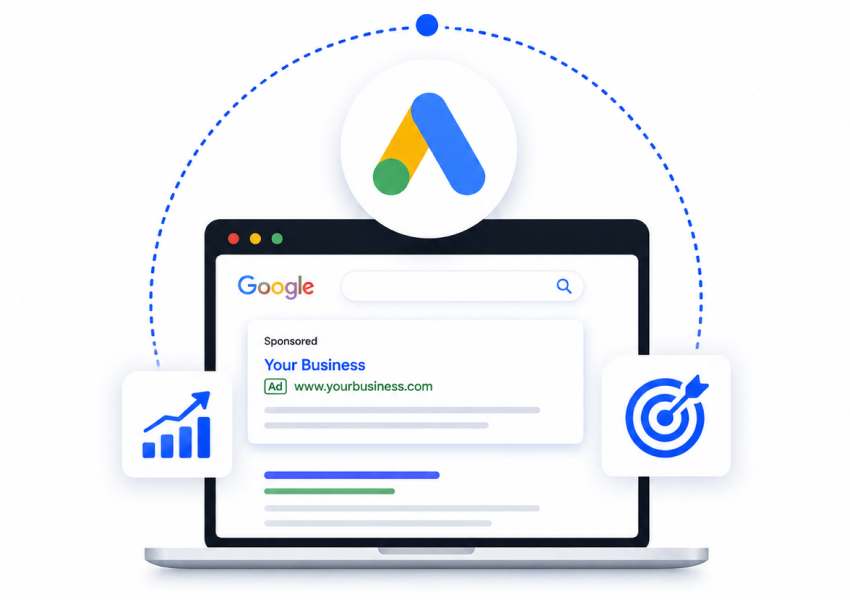


Google Ads is the system that lets you pay to show up at the top of Google when someone searches for what you sell. Someone types "leather boots for men," and instead of waiting months to rank there, you can appear above everything else today. It covers text ads on the search page, Google Shopping ads with your product photo and price, and ads that follow people around the web after they visit you. When people say they want to advertise on Google, this is what they mean.
This Google Ads guide walks you through how the system works, which ad types matter for a store like yours, what it really costs, and how to start without setting fire to your budget in week one. No jargon, no scare tactics. Just the plain version, written for you, the store owner who has real products to sell and no time to become a Google Ads expert overnight.
The busy road versus the empty one
Picture two shops selling the same thing. One sits on a quiet back street where three people walk past a day. The other sits on the busiest road in town, and a thousand people pass the window every hour. Same products. Same prices. Same owner working just as hard. One of them is going to be very lonely.
Here is the twist. The back-street shop cannot move. But your store can. That busy road already exists, and it runs straight through Google. Every day, people type in exactly what you sell and hand their attention to whoever shows up first.
Showing up first is not free, and not automatic. That is what Google Ads is for. It is the toll you pay to stand on the busy road instead of the quiet one. Like any toll road, you can drive it well or waste a lot of petrol going in circles.
This guide walks you through how to use that road properly so you spend money on real buyers, not lost tourists. If you would rather hand the whole thing over, that is what our Google Ads agency does day to day.
Why most store owners struggle with Google Ads
Nobody wakes up one morning and decides to burn money. It builds slowly.
You set up an account because a friend said ads worked for them. You pick a few keywords that sound right, type in a daily budget, and hit go. For a week or two, it feels like progress. Then the card statement lands, and the sales do not match the spend.
The slow part is what gets people. You do not lose your budget in one dramatic mistake. You lose it a little at a time, on searches that were never going to buy, on a Google Ads campaign pointed at the wrong crowd from day one. Because the money leaks slowly, you keep topping it up, hoping the next week turns it around.
Most owners are not bad at this. They just never had anyone show them which levers matter and which ones waste cash. That is the whole gap.
What Google Ads actually does for you
Strip away the dashboards and the jargon, and Google Ads does one simple job. It puts your product in front of a person at the exact moment they are looking for it.
That timing is the whole trick. Social ads interrupt someone scrolling for fun. Search ads catch someone who already typed "buy" into the box. You are not convincing a stranger they want a thing. You are raising your hand when they already want it and are reaching for their wallet. Good Google Ads marketing is less about clever persuasion and more about being present at the right second.
The takeaway: Google Ads is not about shouting louder than everyone else. It is about standing in the one spot where buyers are already walking, at the moment they are ready to buy.
Search ads
Search ads are the plain text ads you see at the top of Google with the little "Sponsored" tag. Here is what they do brilliantly. They catch pure intent. When someone searches "buy organic dog food online," they are telling you exactly what they want, and you can put your offer right there.
Where they fall short for a store is that words alone do a weak job of selling a physical product. No photo, no price, no shine. For a product people want to see, a line of text is fighting with one hand behind its back. Search ads earn their keep, but for most stores they work best paired with something more visual.
Google Shopping ads
Now the good stuff for product sellers. Google Shopping ads show a photo, a price, and your store name in a neat row across the top of the results. Their strength is obvious. Buyers see the product before they click, so the people who do click are already halfway to buying. They saw the price and came anyway.
The honest downside is that Shopping ads need clean product data behind them to work, and Google pulls that from a feed of your catalogue. If your titles are messy or your images are weak, the ads show up looking rough, and cheaper competitors win the click. Shopping is powerful, but it rewards stores that keep their product details tidy. For most ecommerce owners, this format quietly carries the most weight. Keeping that feed clean is exactly the job our Google Shopping Feed app handles, syncing Shopify products into Merchant Center and flagging the disapprovals that quietly cost you impressions.
Performance Max
Performance Max is Google's newer, hands-off option. You hand over your images, headlines, and budget, and Google spreads your ads across Search, Shopping, YouTube, Gmail, and the wider web on its own. The appeal is real. It is less work, and when it clicks, it can find buyers in places you would never have targeted by hand.
The catch is control, or the lack of it. Google decides where your money goes, and it will happily spend on cheap clicks that look busy but do not sell, especially before it learns. Run without a steady hand watching it, Performance Max can drain a budget fast. It shines once someone sets the guardrails, which is exactly what a good Google Ads specialist does before letting it run loose.
The part nobody talks about: the cost of the learning phase
Here is the bit most posts skip. When you launch a new Google Ads account, you are not just paying for clicks. You are paying tuition.
Every new campaign goes through a learning phase. Google does not know who your buyers are yet, so it experiments with your money to find out. The first two or three weeks are almost always your worst numbers, and that is normal, not a failure. The trap is that most owners panic during this phase, switch everything off, and start fresh, which resets the learning and wastes the tuition they already paid.
The real cost of Google Ads is not the click price on the screen. It is the money you spend twice because you kept restarting before the system had a chance to get smart. Whoever runs your ads, whether that is you or someone you bring in, the single biggest saving is simply having the nerve to let the learning phase finish.
"Will I just burn my money?" Answered straight
This is the fear that stops most people, so let us deal with it head-on.
-
You set the ceiling, not Google: Your daily budget is a hard limit. Set it at ten dollars a day, and that is the most you can spend, full stop. You are never handing over a blank cheque.
-
You can start tiny and prove it first: Nobody sensible starts at scale. You begin with one tight Google Ads campaign aimed at your best-selling product, spend small, and only pour in more once the numbers work. Test with pocket change, scale with confidence.
-
Wasted spend comes from vague targeting, not from ads themselves: Money leaks when you bid on broad, sloppy searches. Tighten who you show to, add negative keywords so you stop paying for the wrong searches, and the leak closes.
-
You can see exactly where every dollar went: Unlike a billboard, Google shows you which search, which click, and which sale each dollar produced. That visibility is your safety net. You are never guessing.
The honest answer is yes, you can burn money on Google Ads, in the same way you can crash a car you never learned to drive. The fix is not avoiding the car. It is learning the controls or handing the wheel to someone who knows them.
What a real Google Ads campaign actually includes
People imagine "running ads" is one button. It is really a handful of moving parts working together. Here is what actually sits under a campaign built properly.
-
Keywords: The searches you want to show up for, chosen for buying intent, not just traffic.
-
Negative keywords: The searches you refuse to pay for, like "free" or "cheap" or "how to make." This list saves more money than almost anything else.
-
The product feed: Your clean catalogue of titles, images, and prices that powers your Google Shopping ads.
-
Ad copy and creative: The headlines, descriptions, and images that decide whether people click you or the store next to you.
-
Bids and budget: How much you will pay per click and per day, set to match what a customer is actually worth to you.
-
Conversion tracking: The wiring that tells you which clicks turned into sales, so you know what is working. Without this, you are flying blind. If your Shopify numbers already disagree with what Google reports, that is a tracking problem worth fixing first.
Handled together, these are the full Google Ads services that turn a spend into a system. Managed piecemeal, they are where budgets quietly disappear.
Common mistakes to avoid
A few errors show up in almost every account we look at. Fix these, and you are ahead of most.
-
Sending every click to your homepage: The homepage is a lobby, not a checkout. Point ads at the exact product page for what they searched, and watch your sales per click climb.
-
Ignoring negative keywords: If you never tell Google what searches to skip, it will happily spend your budget on window shoppers and freebie hunters. This one list is the cheapest fix in the whole account.
-
Judging results after three days: The learning phase needs a couple of weeks. Killing a campaign early throws away the exact data that would have made it profitable. Give it room.
-
Running Performance Max with no guardrails: Handing Google full control on day one, with no target and no watching, is how good money chases cheap clicks. Set the limits first.
Fixing which products you advertise, rather than how much you spend on them, is usually the bigger lever. We took a medical supply store to 699% ROAS in 80 days without raising the budget at all, purely by cutting the products that could not turn a profit at any bid.
Your first 30 days
You do not need to boil the ocean. Here is a calm, doable plan for month one.
-
Week one: set the foundation. Turn on conversion tracking before anything else, so every dollar is measured. Pick one hero product and write down who buys it. Do not launch yet.
-
Week two: launch small and narrow. Start one tight Google Ads campaign on that single product, with a modest daily budget and a solid list of negative keywords. Point every ad at the exact product page.
-
Week three: let it learn. Resist the urge to fiddle. Let the learning phase run, watch the numbers, and only note problems rather than yanking levers. This patience is where most owners fail, so this is your edge.
-
Week four: read and expand. Now look at what actually sold. Cut the keywords that wasted money, add more of what worked, and only then consider adding a second product or turning on Google Shopping ads properly.
Do that for thirty days, and you will know more about your real numbers than most owners learn in a year of guessing.
Where to go from here
You do not have to become a Google Ads manager to make this work, and you do not have to guess your way through it either. The whole thing comes down to starting small, measuring everything, and having the patience to let the system get smart before you scale. Run that way, Google Ads stops being a gamble and becomes one of the most predictable ways to bring buyers to your store.
If you would rather have a second pair of eyes before you spend another dollar, that is exactly what we do. Book your free Google Ads audit and see where your budget is leaking and what it would take to fix it.